
Describe
Whether it’s a title, lower third, callout, or an entirely new design, tell your agent what you want.
The agent native video editor
Let the agent be the weft in your timeline—threading every cut, caption, and transition into place while you stay in control.
Opening SceneOne shot. All agent.
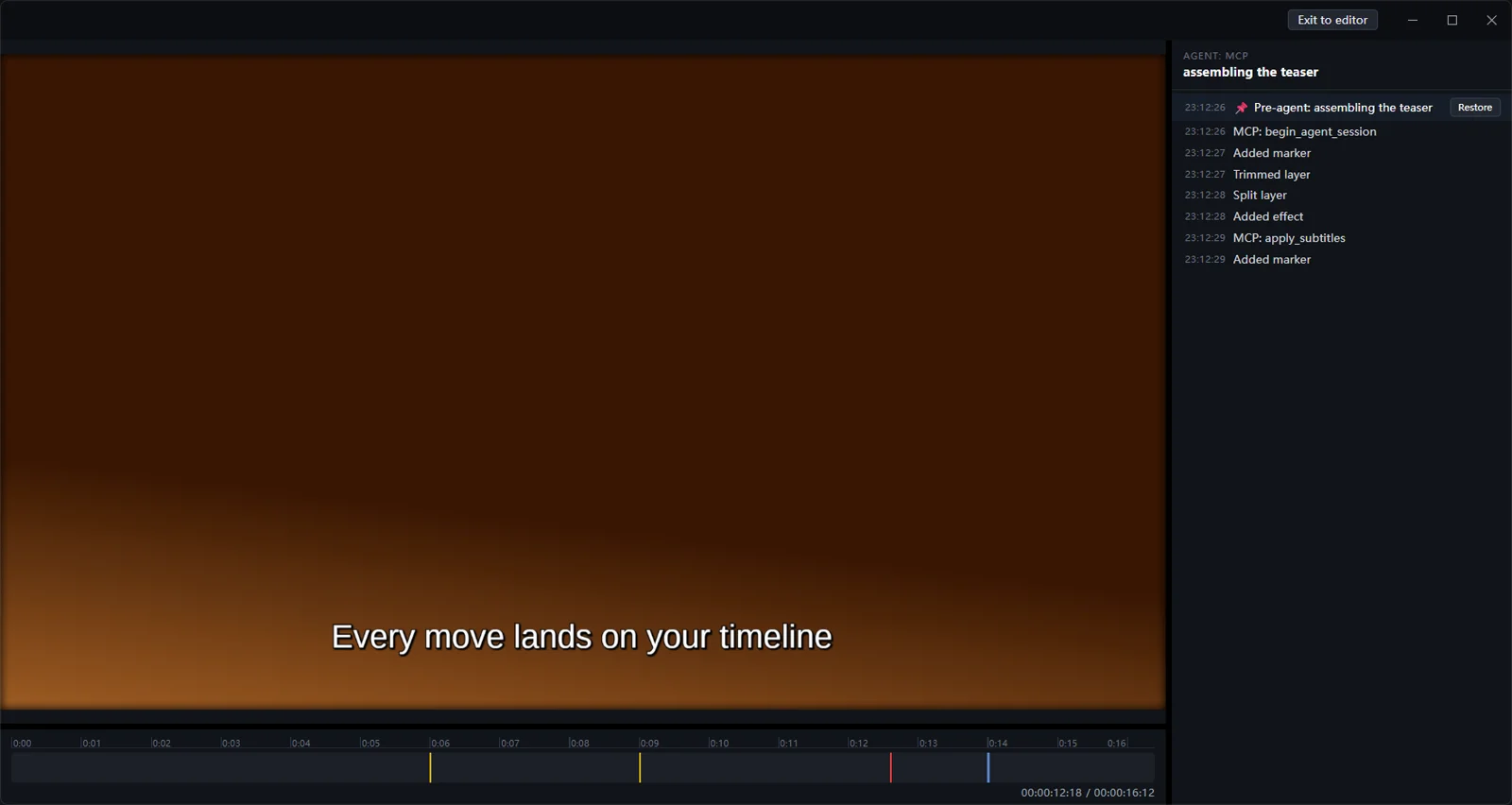
An agent edits the video end to end over MCP, with no human intervention. On the right, the same session's log replays line by line.
Scene 01The differentiator
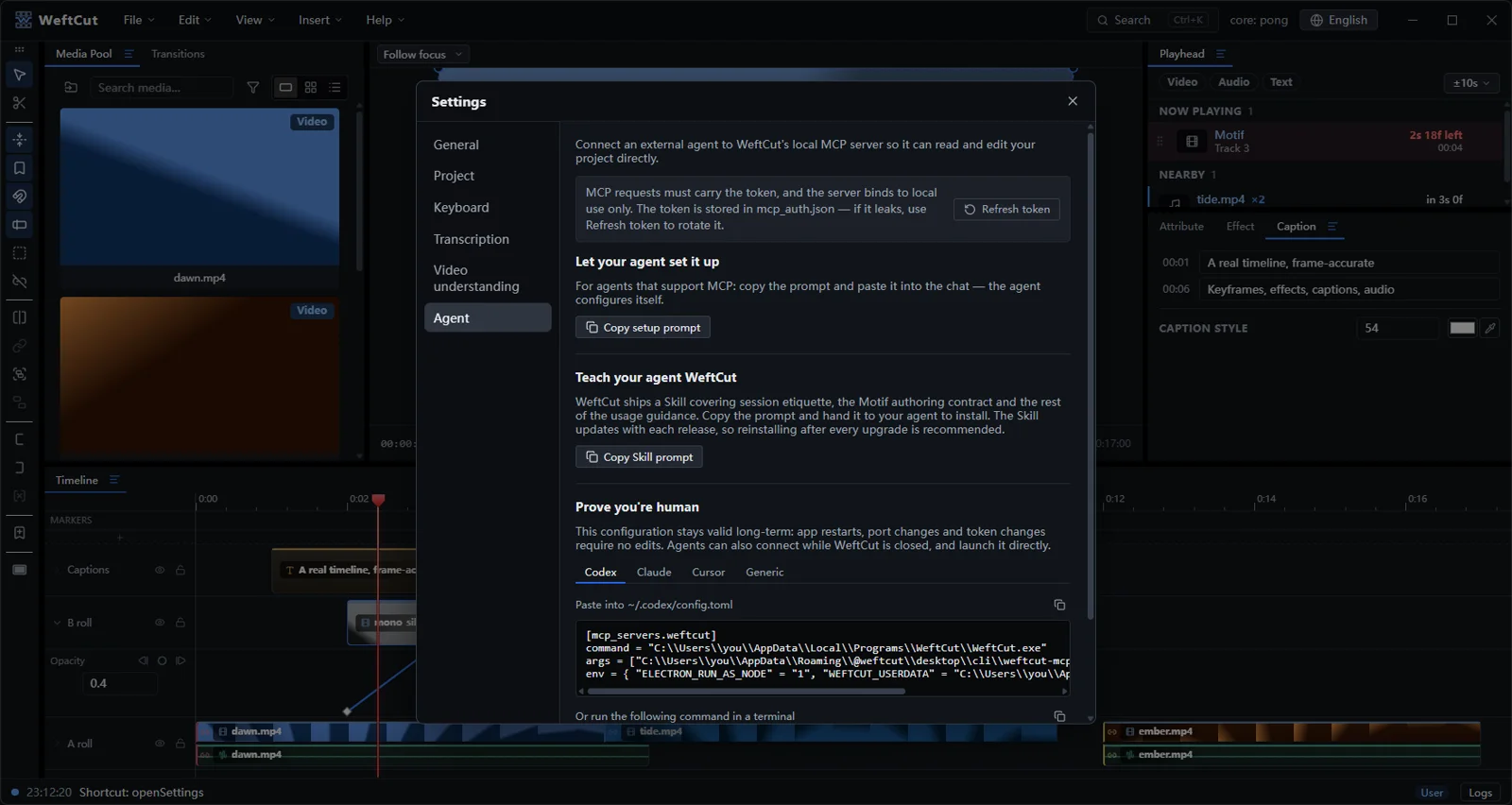
WeftCut opens the whole editor to your agent over standard MCP — everything you can do, the agent can do.
Settings → Agent, copy, paste — Claude, Cursor, or any MCP client connects in a minute. A Skill ships with it, giving your agent the full picture of what WeftCut can do. All local; nothing uploaded.
The full editing vocabulary is on the table: trim, split, transitions, keyframes, effects, captions, markers, undo.
Edits land live under a checkpoint — review the change feed, or undo and take back the wheel anytime.
Optional local analysis lets the agent look before it cuts: shots, silences, transcription, scene description.
Scene 02Code as motion
Describe your idea. Let your agent turn it into a Motif — where code becomes motion and every look stays reusable.
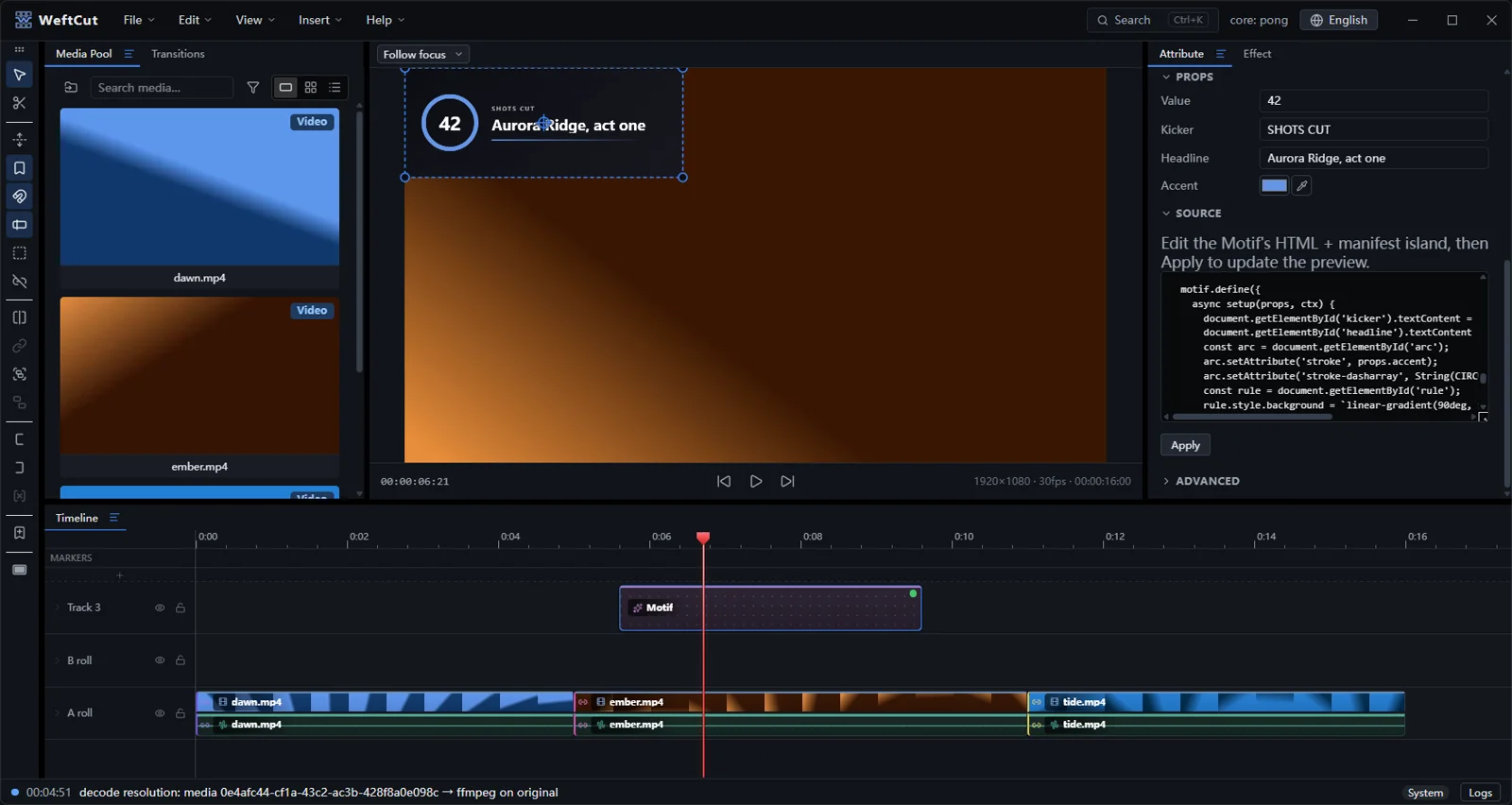
Whether it’s a title, lower third, callout, or an entirely new design, tell your agent what you want.
Your agent turns the idea into a Motif you can play on the timeline.
Refine it in context and reuse the finished look in your next edit.
Scene 03The human cut
You keep the precision and control of a serious desktop editor. Your agent gets access to the same tools, while every change remains visible on your timeline.

A professional timeline that works the way you expect.
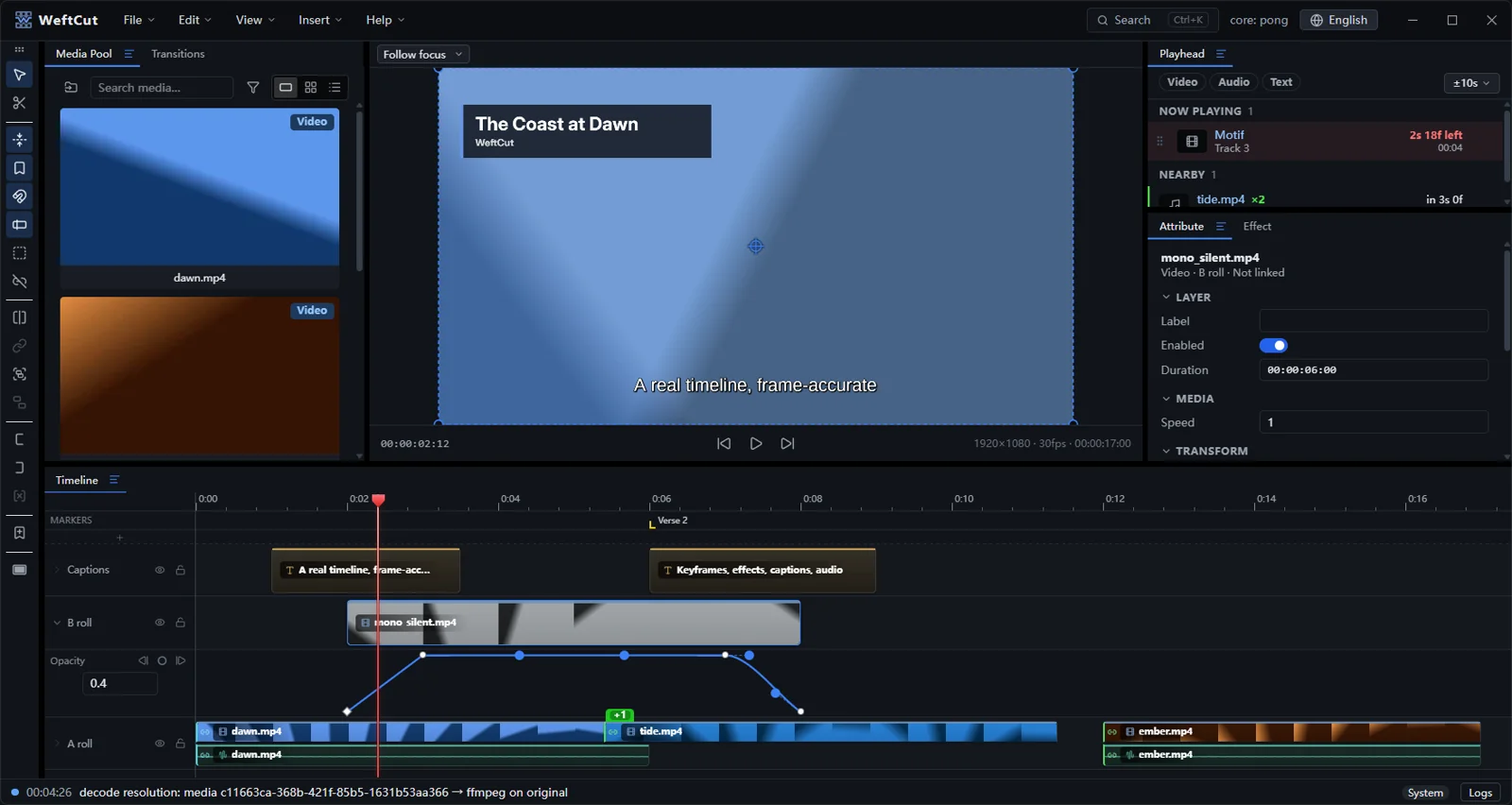
Edit Bézier curves directly on the timeline, without breaking your flow.
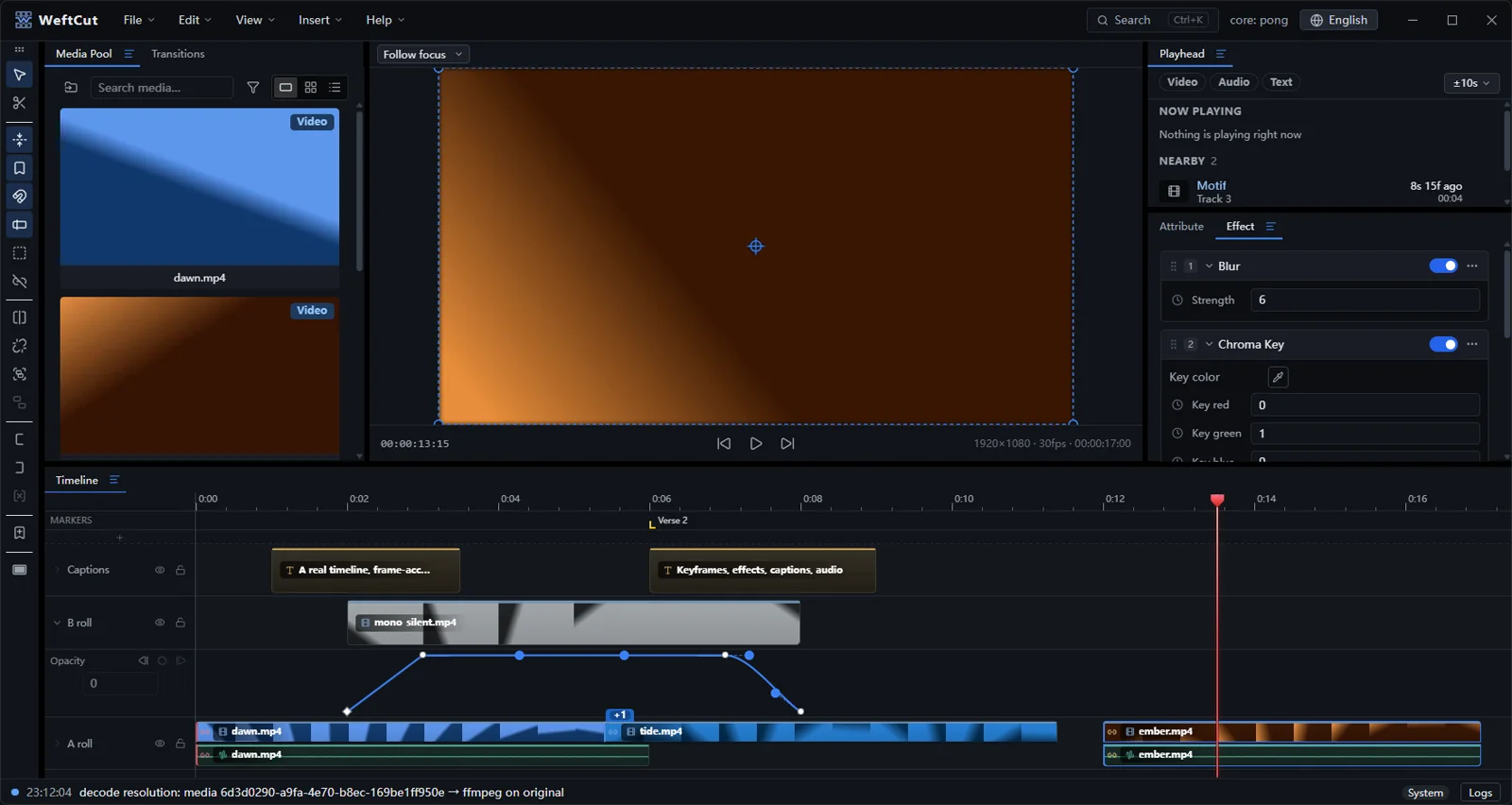
Stack, reorder, and fine-tune effects beside the preview.
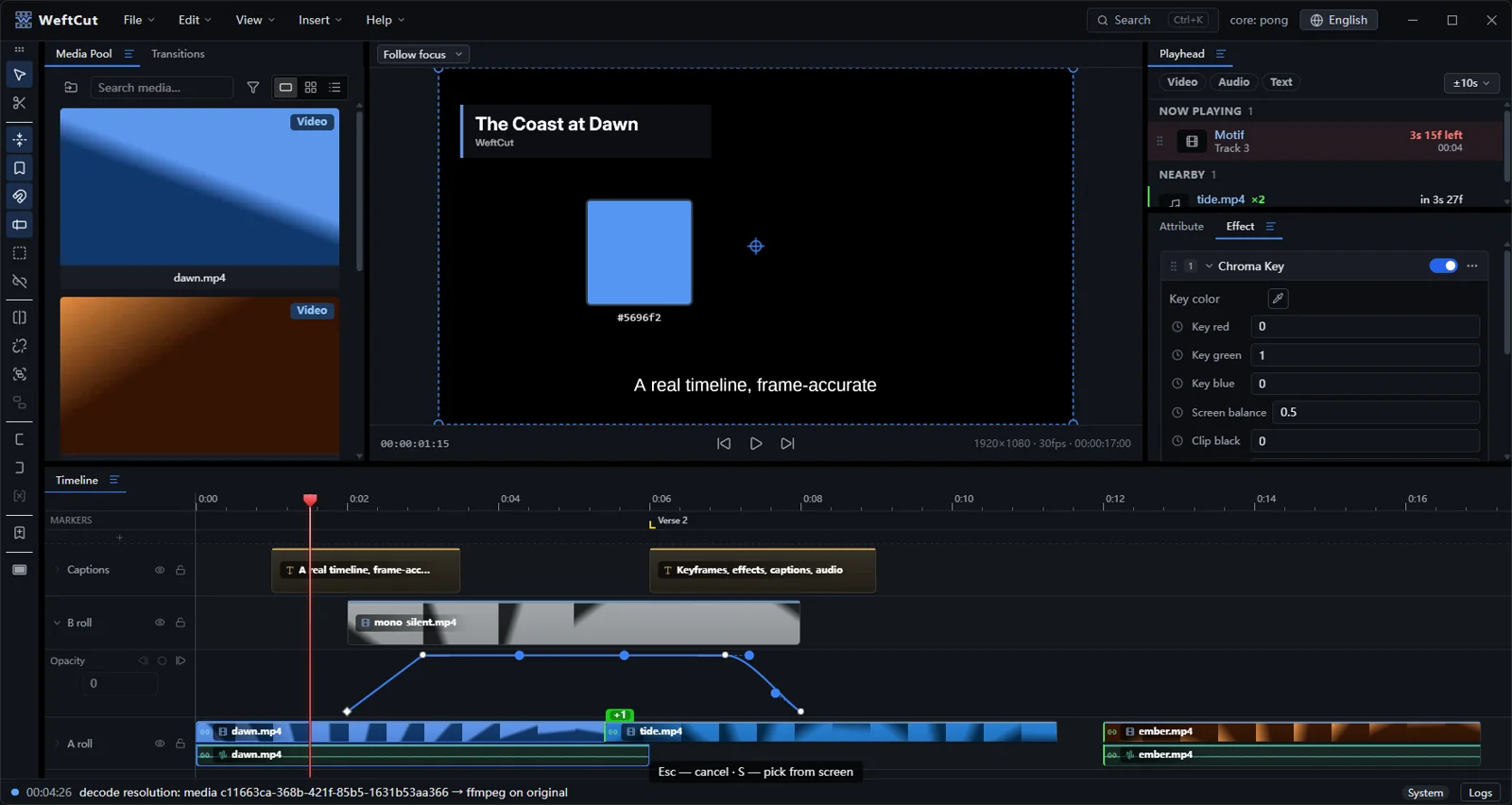
Sample the key color from the preview, then refine the result in place.
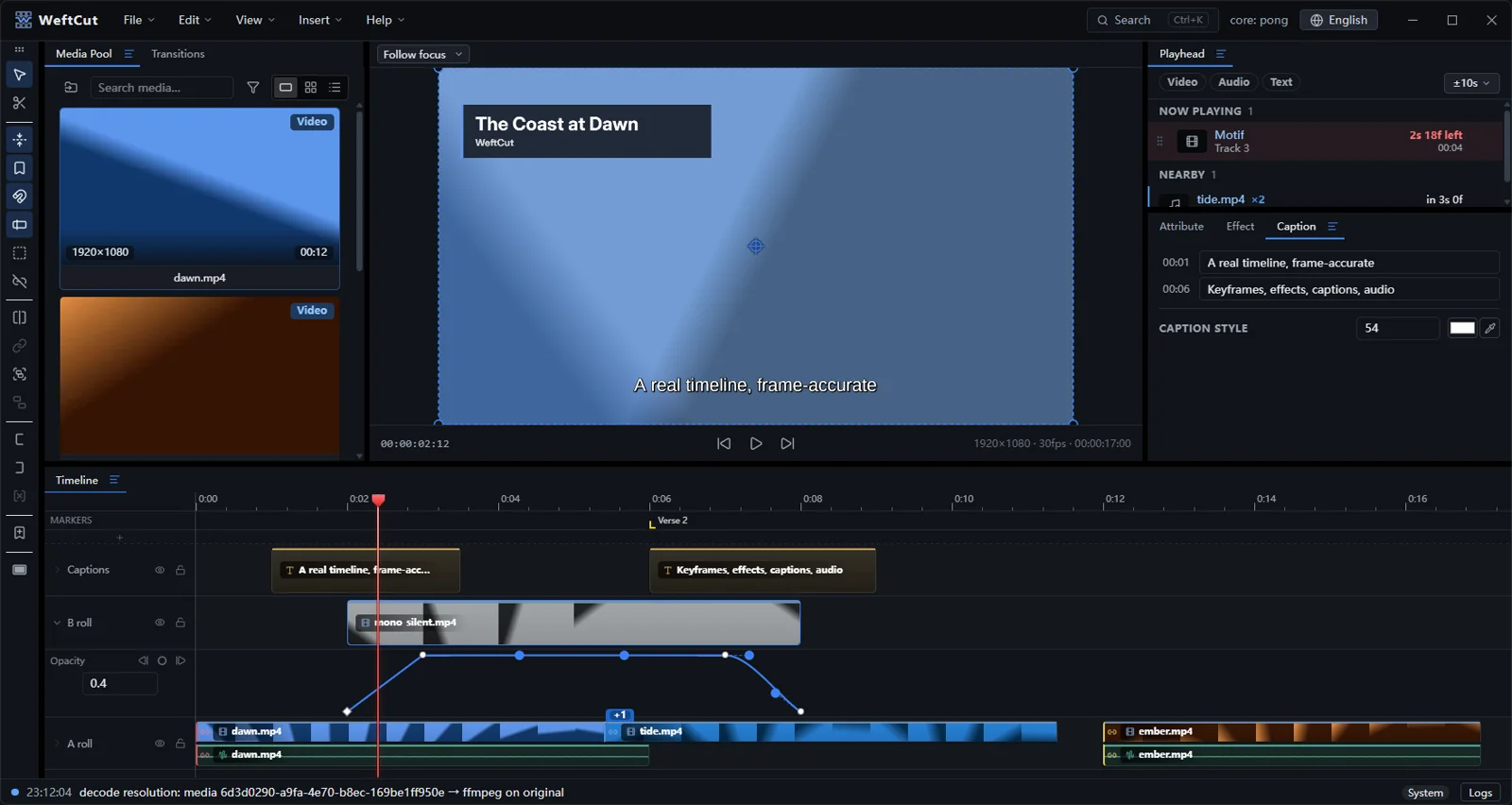
Import SRT, VTT, or ASS, then restyle the whole video in one step.
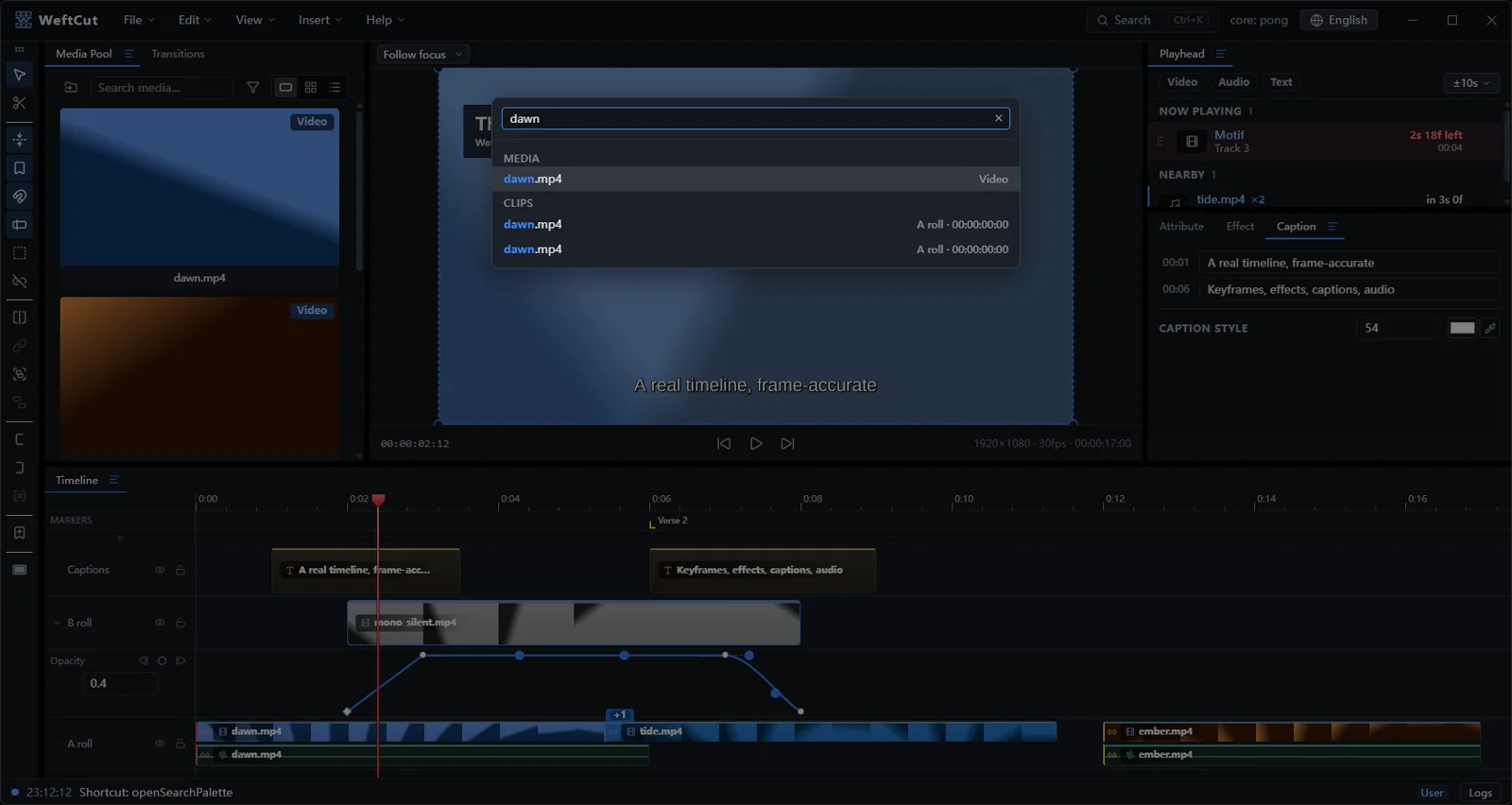
Press Ctrl-K to find commands, media, clips, captions, and markers—even in pinyin.
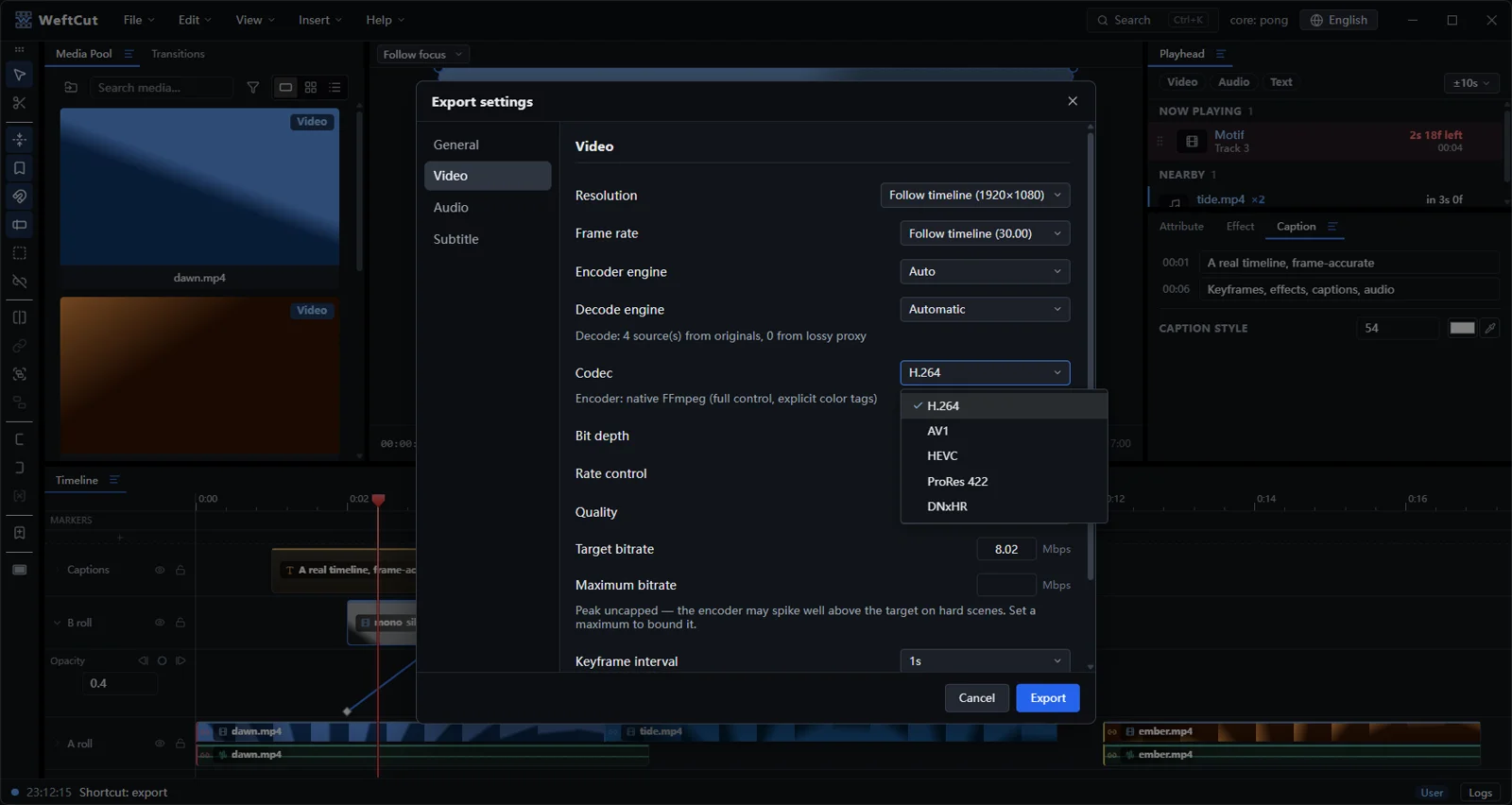
Export H.264, HEVC, 10-bit AV1, ProRes, or DNxHR—full timeline or selected ranges.
EpilogueAt the speed of ideas
Turn creative intent into real edits, refine every detail with full control, and spend more time making the story feel right.
Turn a creative direction into timeline changes without getting buried in repetitive work.
Let your agent carry the mechanics while you focus on pacing, tone, and feeling.
Every change stays visible and reversible, ready for your judgment and final touch.
Let the timeline keep up with every idea.
Post-creditsA few details
Yes — free and open source under the MIT license. FFmpeg is bundled under its own LGPL/GPL terms.
Any MCP client — Claude Desktop, Cursor, Codex, or your own. Copy one snippet from Settings → Agent, paste it into your client, and the agent can edit alongside you. WeftCut bundles no AI models — your agent is the intelligence.
Yes — it’s a complete editor on its own: timeline, keyframes, effects, captions, motifs, audio mixing, and export up to 10-bit AV1 and ProRes.
In your agent, not in the app — WeftCut ships no models. Optional analysis like transcription and scene description runs locally on your machine.
macOS, Windows and Linux — one desktop app, same feature set everywhere. The ready-made builds cover Windows x64, Apple Silicon Macs and x86_64 Linux; every other target builds from source.